VFX Animation
Houdini Introduction
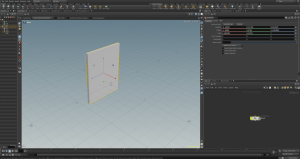
In this class we had a brief introduction to the soft wear Houdini, Houdidni
a {
text-decoration: none;
color: #464feb;
}
tr th, tr td {
border: 1px solid #e6e6e6;
}
tr th {
background-color: #f5f5f5;
}
f you mean Houdini (the 3D/VFX software), a node is a fundamental building block in Houdini’s procedural workflow.
A node is an operation that:
- Creates, modifies, or processes data.
- Takes inputs from other nodes.
- Produces outputs that can be passed to additional nodes.
- Has parameters that control its behavior.
For example:
- A Box node creates a cube.
- A Transform node moves, rotates, or scales that cube.
- A Subdivide node adds more geometry detail.
These nodes are connected together in a node network, where the output of one node becomes the input of the next. This allows you to build complex effects and models procedurally and make changes at any stage of the workflow.
In short: A node in Houdini is a self-contained operation that processes data and connects with other nodes to create a procedural system.
Provide your feedback on BizChat


Leave a Reply